Live since 2015

Slack
Each visitor gets a dedicated channel. Files, code blocks, screenshots and typing indicators travel both ways. Slash commands control availability and transcripts.
Live chat for Slack →Visitors chat on your site.
Your team replies from the app they already use.
Product demo: Jess asks whether Chatlio works on Shopify and whether two people can answer. Maya explains the embed setup and Sam confirms that anyone in the channel can join.
Each visitor gets a dedicated channel. Files, code blocks, screenshots and typing indicators travel both ways. Slash commands control availability and transcripts.
Live chat for Slack →Website chat for the server your community calls home. Your mods and support staff can answer visitors without leaving Discord.
Live chat for Discord →Website chat for support and sales teams on Microsoft 365. Your team can answer visitors from the Teams workspace it already uses.
Live chat for Teams →Connect Chatlio to Slack and pick the channel where new conversations should land.
Drop the embed code before </body>, or use the guide for your stack. No build step, no dependencies.
A visitor writes; a conversation appears. Anyone in the channel can pick it up, from desktop or phone.
Several teammates can help the same visitor at once. Pull in an engineer without a handoff.
Invite visitors to chat after time on a page, or greet them on pricing with a question that qualifies the lead.
Answer the questions you get every day in a keystroke, straight from your channel.
Follow presence, operating hours or a manual switch. Show a contact form or hide the widget when nobody’s around.
Request a screenshot from the visitor with no plugin. Drag a file in; it lands in the widget. Backticks work.
Open or hide the widget from your UI, identify users, export transcripts, and push every event wherever you need it.
See conversation trends and which widgets are online.
Explore the dashboard →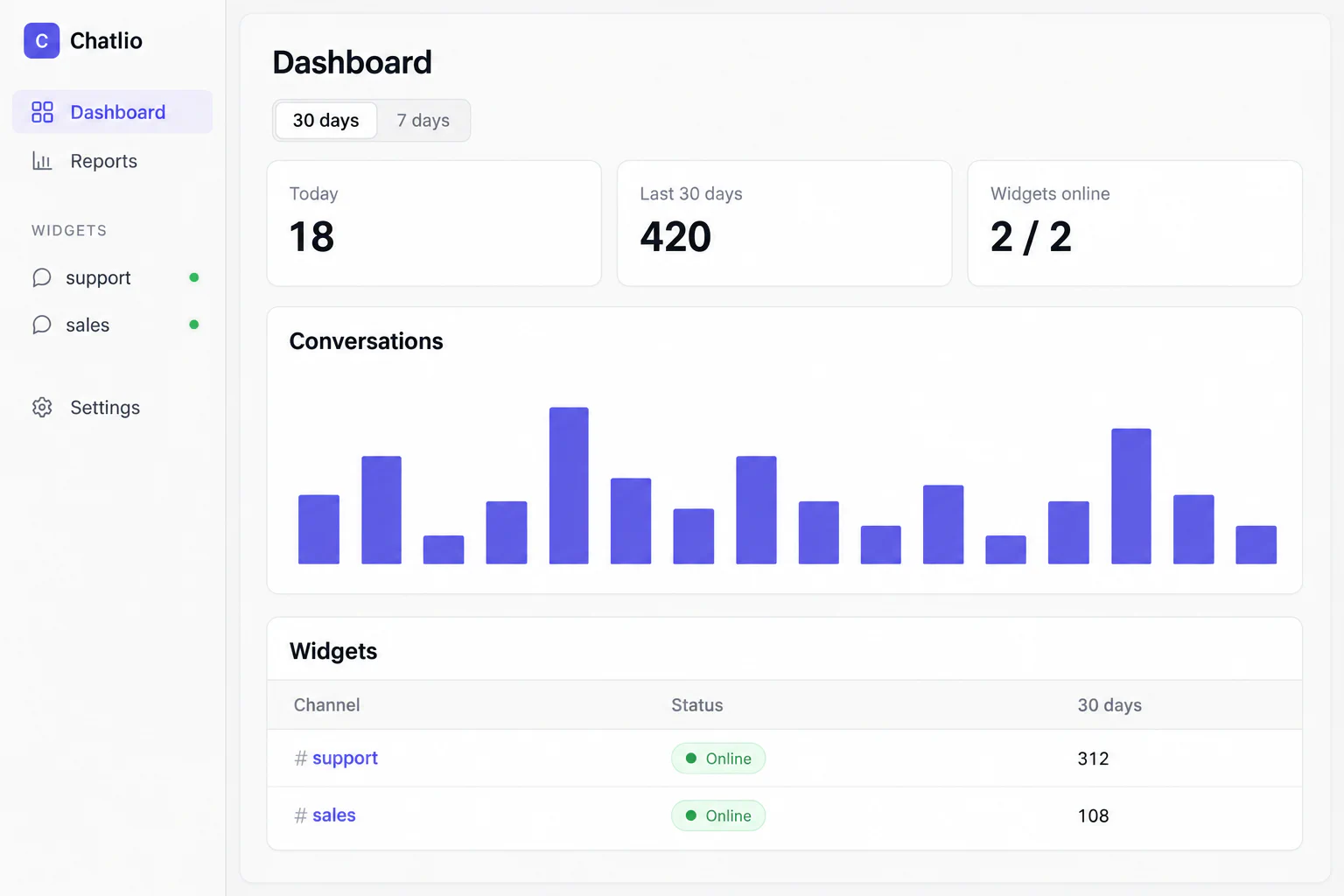
jess@example.com
See their page, location, local time, browser and visit history alongside the chat.
Already know their name or account? Pass it with _chatlio.identify(). Your team starts with the context, not the questions.
Any color, any label, any language. Full CSS customization is free on every plan.
“We answer Trails customers’ website chats right from Slack. It’s simple, fits naturally into our workflow, and gives us one less inbox to check.”
“I’ve tried basically every live chat system for RepeaterStore and @chatlio is by far the best. Amazing support team, great Slack integration.”
“When I discovered Chatlio almost 3 years ago, it was a game-changer for me. I hated to have to install "another" third-party software.”
“Hey @chatlio your live chat app and seamless integration with @SlackHQ is amazing. It's incredibly easy to manage all our live chats from Slack instead of having to have another dashboard open. Thank you!”
“We got Chatlio up and running in minutes, and it's been fully stable and low maintenance over the last two years.”
“That and the super simple WordPress plug-in that made adding Chatlio to our site almost no work.”